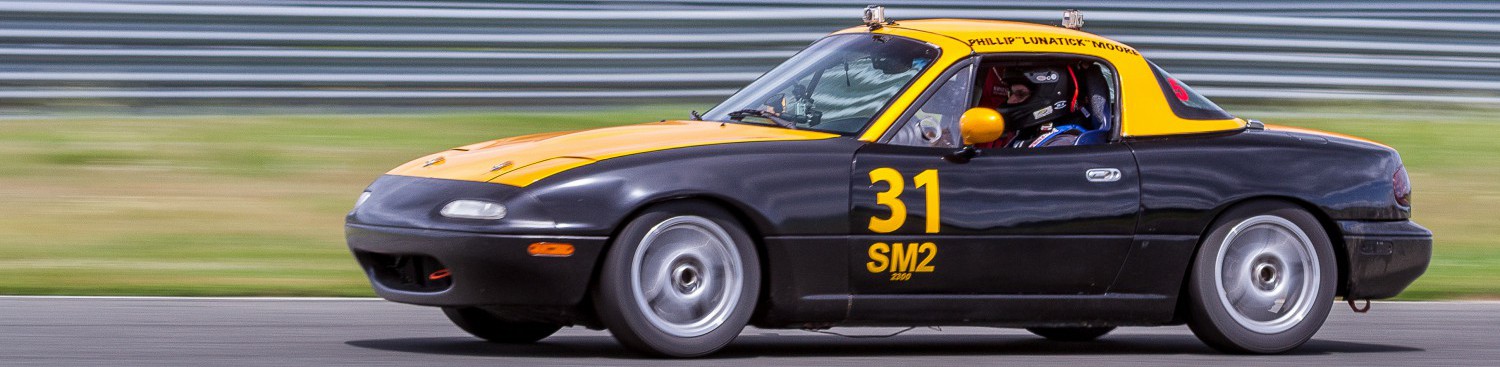
I have been using GoPro cameras since the release of the Hero1, and have been using them to capture my time on race tracks for years. I’ve been constantly improving my setup and the way I use it, and embracing new features and functionality of the cameras as they become available. However, they are a means to an end. The end is creating high quality track videos that I can study to become a better driver. One of my goals is to make the entire process as minimally labor intensive as possible, so that I can focus on my car and my driving, and not have to waste time paying attention to the camera setup.
By the end of last year, I had a pretty reliable system for running four cameras on my car (front, rear, driver and pedal views), and I’ve even played around with running 6 (two additional front-facing cameras behind the front wheels). There were two main drawbacks to this setup, though: power and control. GoPro battery life has improved, but it has never been possible for me to get through a single day at the track without having to monitor the battery charge, and swap them out when it gets too low. Controlling the cameras was tedious, because I had to go through a pre-session ritual to turn them on and get them recording. So this year, I decided to upgrade the setup in the car to address both of these issues. When I bought the car in 2013, I had the shop install a USB hub which was made for the kind of environment inside a race car, and I ran USB cables to all of the camera mounting locations. I hadn’t really used it until now, because I prefer the camera views from roof-mounted locations, but I finally went ahead and drilled some holes to accommodate the power cables.
To address camera control, I decided to finally implement the use of the WiFi remote control. To do that, I had to have WiFI capability on all 4 cameras, so I purchased WiFi backpacks for my Hero2s, and purchased a couple of used Hero4s to round out my collection. The plan was to use my best cameras (3 hero4s and one Hero3) for this setup, with the Hero2s as a fallback.
The goal was to be able to get to the track, unload the car, mount up the cameras, power on the WiFi, and basically forget about them until the end of the day when I pack everything up for the trip home. All I would have to do is (a) power everything on with one push of a button on the WiFi remote, (b) power up the car, and then right before going on track, (c) start them all recording with the single push of a button. Complete and total automation.
The result has been nothing but frustration and disappointment, as I have uncovered one unexpected problem after another trying to make this work. Even more disappointing has been GoPro’s “support” for the one problem I did report, where their response to the inability to figure the problem out was to close and “resolve” my problem ticket.
To start with, WiFi connectivity between the remote and the cameras proved to be extremely flaky. When powering up the remote, normally all 4 cameras (assuming that they are powered off and the WiFI is on, of course — an issue I’ll come back to) will be detected and powered on within 10-15 seconds. That worked ONCE and ONLY ONCE the day at the track, and the other attempts only brought up 3 of the 4 cameras. Making matter worse, when I went to check to see which camera didn’t power on, I couldn’t find it because they all powered on, but only 3 of them were shown as “ready” in the remote. If I wanted to start recording, I’d have to get out of the car find the red light thats not flashing, and manually start the camera.
The Hero4s proved to be unreliable when running off of USB power as well, and two of the three Hero4s I used froze during the first session, and not only stopped recording, but corrupted the memory card. GoPro Quik was unable to recognize those cameras when later connected to my laptop, and it required formatting the card to recover them.
Since the pair of Hero4s could not be trusted, I swapped them out for a couple of my older Hero2s with the WiFI backpacks, but then discovered that while the camera battery will charge while it’s on USB power, the WiFI backpack apparently does not. Both of them were out cold at the start of the 4th session on track later in the day, and I had to revert to manually starting the cameras again.
My problems didn’t end when I left the track, either. The GoPro Quik MacOS X application, which I’ve been using to automate transferring the video from the cameras to my laptop, was also equally unreliable. Two of the four cameras could not be read properly, and they got stuck in the initialization phase, and I had to revert to manually copying the data files using the MacOS Finder as well. I had none of these problems with any of the previous releases, which had worked perfectly for at least the data transfer functions I used them for.
Prior to departing for this track day, I had spent a great deal of time testing out my new setup in my driveway, and I never had any of these problems at all. I did discover one extremely annoying difference in behavior between the Hero3 and Hero4s, though: if the USB power changes state while the Hero4 is powered off, it will have the side effect of powering off the WiFi. The Hero3 does NOT do this — it stays on, as you would expect. Until I rewire the USB hub in the race car to bypass the kill switch, that means I had to be very careful to be sure to power the cameras off (via the WiFi remote worked fine) before powering the car off, otherwise, the next time I tried to turn them on, the Hero4s would not be listening.
I reported that problem to GoPro, and had an completely unsatisfying experience with them. First, you need to understand that I’ve been working in the Enterprise Software space for my entire career, and I am used to providing detailed, verbose problem reports for the multi-million dollar products I support, and expecting high quality feedback leading to a solution to my problem. You know, “professional” support (you can guess where I’m going with this). I explained, for example, that I was able to reliably reproduce this problem only in the Hero4s, and I could reproduce it with just about any combination of USB power source or hub. I provided the technical product details for the hubs I used, as well.
GoPro’s “technical” response was pathetic. After some back and forth getting the derails clarified, the first thing they asked me for, after I had provided links to the product’s websites and technical spec sheets, was a *photograph* of my USB hub (and they only asked for photos of ONE of them, not the others). I refused, and demanded to know why, and never got an answer. A few days later, the support individual emailed to let me know that yes, GoPro engineers had agreed it was a problem.
Then they closed my ticket and resolved the issue. They gave me no means of finding out if they were even going to fix this, and if they were, when I could expect to see a fix available. They refused to answer any of my followup questions once the ticket was closed, as well. I just got no answer to the few emails I sent.
So, clearly GoPro’s idea of “support” shows that these are NOT “professional” quality products. No, they are, and always have been, “consumer” quality, and I am being painfully reminded of this. If I were to call them up and report each of the discrete issues I’ve found, I’d be opening up about 10 new tickets with them, but I have near zero confidence that they will treat any of them seriously.
I’m nearing the end of my patience with this company and their products. Everything I am doing is a documented, supported use of the product. Every single one of my cameras has been well cared for, and they are all running updated firmware. The end results, once I am done fighting with the cameras at the track, and then fighting with them again when I get home, is still worth the effort…. Or is it?
I do intend to find a way to bring this to the attention of someone at GoPro, and give them a chance to stand behind their products, but if they don’t, then I am not going to send them another dime. Based on the similar experiences of other users posting issues in various searchable forums on the net, I’d say the chances are good my days as a GoPro user are numbered and short. It might be high time to start giving their competitor’s products a serious look, or to simply get serious about investing in a set of *professional* quality cameras, most likely in the form of a motorsports-specific integrated data/video solution.
 Lunatick Racing